
Defining your brand’s purpose and tone is like setting the stage for a blockbuster show. It’s that important. Just as Starbucks makes its customers feel like part of a cozy, global coffee club on Instagram, your brand can too.
But, how do you achieve this level of community engagement? It starts with understanding your audience. Then, you craft a consistent brand voice that resonates with them. On platforms like Twitter, where conversations are dynamic and fast-paced, having a clear tone is key.
By mapping your personas and value exchange, you can create a recognizable and relatable community. This isn’t just about broadcasting your message. It’s about fostering a dialogue that makes your followers feel seen and heard.
IG features: Stories, Broadcast Channels, Collabs, Guides
Instagram’s features, like Stories and Guides, help us connect in many ways. Each feature has its own benefits for building a community.
Stories have changed how we share on Instagram. You can post content that vanishes in 24 hours. This makes your posts feel special and exclusive.
Leveraging Instagram Features for Community Building
So, how do you use these features to build a community? Let’s talk about Collabs. Working with other accounts can bring in new followers. It’s good for both of you, as it grows your audience and makes your content more credible.
Guides are great for organizing content around a theme. They’re perfect for educational stuff or showing off user content. This helps new followers find and join your community.
Let’s compare different Instagram features and how they help build a community:
| Feature | Community Building | Engagement Metrics |
|---|---|---|
| Stories | High – Behind-the-scenes, polls, questions | Swipes, replies, drops |
| Collabs | High – More reach, credibility | Likes, comments, new followers |
| Guides | Medium – Organized content, educational | Saves, shares, comments |
By using these features well, you can create a more engaged and loyal community on Instagram.
X features: Lists, Communities, Spaces, long posts
The Twitter/X platform offers many features to boost community interaction. These include Lists, Communities, Spaces, and long posts. They are not just tools but the foundation of a lively community. Just as a chef uses different ingredients to make a dish, community builders use Twitter/X’s features to create an engaging experience for their followers.
Twitter/X Features for Enhanced Community Interaction
Let’s explore how these features can be used. Lists let you pick content from various users, making a personalized feed. It’s like making a playlist for your favorite songs. It adds a personal touch that makes the experience better.
Communities on Twitter/X are like groups for special interests. They help followers connect over common topics. It’s like a dinner party where everyone shares a common interest. The conversation flows better, and connections are made.
Spaces are Twitter/X’s live audio chats, like Clubhouse rooms. They offer real-time talks, allowing for quick feedback. Hosting a Space is like a live podcast or Q&A session. It’s dynamic and helps connect with your audience deeper.
Long posts let you share detailed content, like blogging but on Twitter/X. This feature is great for deeper discussions and sharing complex ideas. It’s a key tool for building a community.
By using these features well, community builders can make a rich and engaging experience for their followers. It’s about combining these tools to create a community that’s as lively and diverse as its members.
Onboarding rituals: welcome threads, IG Highlights
Starting a social media community needs a solid base: onboarding rituals. These rituals help new followers feel part of the group. We’ll look at how brands can use welcome threads on Twitter/X and IG Highlights on Instagram to make a great first impression.
Creating Effective Onboarding Rituals for New Followers
Onboarding rituals are more than a nice gesture; they’re a way to build loyalty. By welcoming new followers with threads or Highlights, brands can make them feel at home. This encourages them to get involved.
Here are some tips for making onboarding rituals work:
- Personalization: Make your welcome messages speak to what new followers like.
- Storytelling: Share your brand’s story and values through stories.
- Clear Guidance: Show new followers how to interact with your content.
For example, a brand can use Instagram Highlights to show off community rules, top content, and member features. On Twitter/X, a welcome thread can introduce new followers to your brand’s history, values, and how to join in.
By using these rituals, brands can greatly improve the experience for new followers. This makes it more likely they’ll become active and engaged community members.
Conversation architecture: prompts, polls, Q&As
Building a strong community on social media starts with the right conversation setup. It’s about making interactions fun, meaningful, and fitting for your audience.
Brands can use prompts, polls, and Q&As on Twitter and Instagram to spark talks. These tools help uncover what your community likes and cares about.
Designing Conversations that Drive Engagement
Creating engaging conversations requires being intentional and creative. Mix up your approach with prompts that invite sharing, polls to check opinions, and Q&As for clear answers.
For example, Twitter is great for Q&A sessions with experts. This boosts engagement and makes your brand a go-to for info.
Instagram is perfect for interactive content. Use the “Question Sticker” in Stories to ask followers about their views on topics.
- Use open-ended prompts to get followers to share their thoughts and stories.
- Make polls to see what people think about important issues and start discussions.
- Host Q&A sessions with experts to share valuable knowledge.
- Use Instagram Stories and Twitter Spaces for live chats.
By using these strategies, you can build a lively and interactive community. This community will be eager to join in and share their thoughts.
Moderation and community standards toolkit
Moderation is key to keeping online spaces friendly and helpful. It’s important for brands to have a strong moderation plan. But why is moderation so vital, and how can brands set up a good moderation system?
Establishing a Moderation Framework for Community Health
A solid moderation framework is essential for a healthy community. It keeps out bad behavior and makes sure everyone feels welcome. So, how do you create such a framework?
First, you need to set clear community standards. These should tell people what’s okay and what’s not. It’s also important to share these standards with everyone. But, just having rules isn’t enough; they must be followed fairly.
Good moderation uses both tech and people. AI can spot problems, but humans are needed for tough decisions. They need to understand and empathize.
To show what a moderation framework includes, look at this table:
| Component | Description | Tools/Methods |
|---|---|---|
| Community Standards | Clear guidelines for community behavior | Written policies, community guidelines document |
| Content Moderation | Reviewing user-generated content for compliance | AI-powered content review tools, human moderators |
| User Reporting | Mechanism for users to report violations | Reporting buttons, community forums for feedback |
With a good moderation plan, brands can keep their community safe and friendly. This makes users happy and helps the brand’s image.
Can a brand ignore moderation? The answer is no. A well-moderated community brings many benefits. It keeps users engaged, reduces fights, and builds loyalty.
Volunteer roles: moderators, note-takers, clip editors
Empowering community members is key for lasting engagement. It’s not just good vibes; it’s essential. By giving them roles, you share the work and build a sense of belonging.
Exploring volunteer roles can transform your community. Moderators are vital for keeping discussions friendly and focused. They fight off spam and negativity, making your community a safe space for everyone.
Key Benefits of Volunteer Roles
Volunteer roles do more than just add extra help. They make your community more active and caring. Here’s why:
- Increased Engagement: Members who help out tend to get more involved.
- Diverse Perspectives: Volunteers bring new ideas, making your community richer.
- Leadership Development: These roles help spot and grow future leaders.

Now, let’s see how different roles can make a difference. Below is a table showing common roles and what they do:
| Role | Responsibilities | Impact |
|---|---|---|
| Moderators | Monitor discussions, enforce community guidelines | Maintains a safe and respectful environment |
| Note-takers | Document key discussions, decisions, and actions | Ensures transparency and keeps members informed |
| Clip Editors | Create engaging content from community discussions | Helps in promoting the community and its activities |
Empowering community members through volunteer roles is a smart move. It makes managing your community easier and makes it a better place for everyone.
Cross-posting rules without fatigue
Cross-posting can boost your message but might cause fatigue if not done right. The secret to good cross-posting is knowing each platform’s unique traits and adjusting your content strategy.
To dodge cross-posting’s downsides, you need a content strategy that fits each social media’s special features. It’s not just about sharing the same stuff everywhere. It’s about weaving a story that speaks to different people.
Adapting Content for Different Platforms
Creating content for social media is like a jazz musician changing a melody for different styles. You might make a LinkedIn post shorter for Twitter or turn an Instagram pic into a YouTube video.
- Know who you’re talking to and what style fits each platform.
- Change your content to match each channel’s unique features.
- Keep your message the same but change how you share it.
For more tips on cross-posting, check out our guide on cross-posting social. It has practical advice to help your content reach more people.
With a smart cross-posting plan, you can grow your audience, get more engagement, and avoid the tired feeling from posting too much. It’s all about finding the right mix of consistency and creativity.
Accessibility and time-zone inclusivity
The world is getting more connected, making it vital to make community activities open to all. Today, a community’s strength is not just about its size. It’s also about how well it brings together people from different places.
Making community activities accessible means more than just translating or adding captions. It’s about making sure everyone feels welcome. This includes making sure digital platforms work with tools for people with disabilities and following accessibility rules.
Strategies for Inclusive Community Building
To be inclusive across time zones, communities can try a few things. One way is to rotate the timing of events so everyone can join in at a good time. Another is to use asynchronous communication tools, letting people join in whenever they can.
| Strategy | Description | Benefit |
|---|---|---|
| Rotate Event Timing | Schedule events at different times to accommodate various time zones. | Increases participation from a broader geographical area. |
| Asynchronous Tools | Use digital tools that allow members to participate at their convenience. | Enhances engagement by allowing members to contribute at their preferred time. |
| Accessibility Features | Implement features like captions, translations, and compatibility with assistive technologies. | Makes the community more inclusive for members with disabilities or language barriers. |
By using these strategies, communities can be open and welcoming to everyone. This helps create a sense of belonging for people all over the world. As we grow global communities, making them accessible and inclusive is essential for their success.
Monthly rituals: AMAs, wins threads, offline meetups
Monthly rituals are key to a strong online community. They keep everyone involved and make people feel like they belong. This is something I’ve learned from my own community-building experiences.
So, why do monthly rituals work so well? They offer a steady schedule for people to connect. This can be through an AMA (Ask Me Anything), a wins thread for sharing successes, or an offline meetup. These events create excitement and anticipation.
Sustaining Engagement through Rituals
Starting monthly rituals takes some planning, but it’s worth it. Here are some tips to help you get started:
- AMAs: Invite experts or leaders for interesting talks and insights.
- Wins Threads: Encourage sharing of achievements to build a supportive atmosphere.
- Offline Meetups: Plan in-person gatherings to deepen connections and make memories.
Adding these rituals to your community plan keeps members active, motivated, and connected. Remember, consistency and flexibility are key as your community grows.
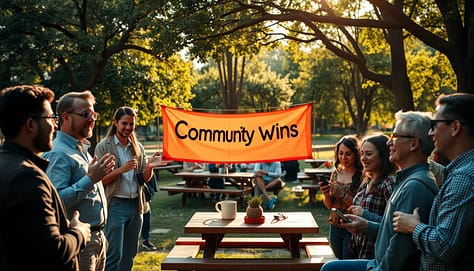
The best communities find a rhythm that works for them. Try different rituals to see what your community likes. Be open to new ideas and see what sticks.
Community health metrics dashboard
Building a thriving online community is complex. A key question is: how do we measure success? The answer is a community health metrics dashboard. It gives us valuable insights into how our community works.
A good dashboard lets brands track important metrics. This includes engagement rates, how many new members join, and how well content does. By watching these, brands can see what’s working and what’s not. This helps them make better choices for their community.
Key Performance Indicators for Community Health
So, what should you watch? Keep an eye on user retention, how long people stay, and what they say. These metrics help brands understand their community better. They can then tackle any issues that come up.
Using a community health metrics dashboard helps brands improve their community. They can make it more active, welcoming, and strong. Are you ready to make your online community the best it can be?