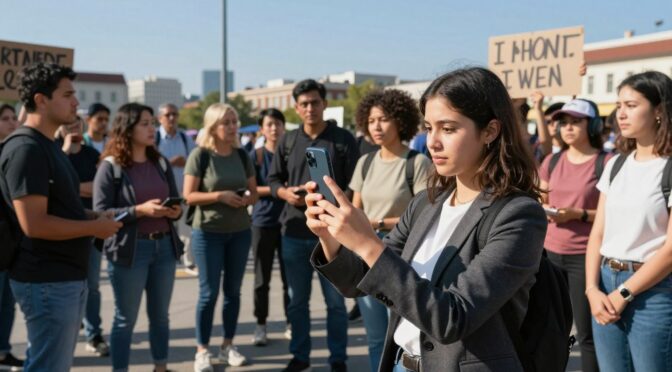
In the United States, you have the right to record in public thanks to the First Amendment. This right lets you document law enforcement officers like police, ICE, and FBI agents in public. It’s a key part of their duties.
Federal courts across the country agree on this. Officers can’t take your recording device or ask to see what’s on it without a warrant. Even during an arrest, they need a special warrant to search your device. They can’t delete any photos or videos you’ve taken.
But, people who record these activities face big challenges. Officers might threaten, arrest, or even damage your property. These risks show how serious this work is. It’s important that you don’t get in the way of law enforcement.
This rule is clear, but it gets tricky in sensitive cases or when minors are involved. Here, it’s key to think about getting consent and keeping privacy safe, along with your legal rights.
Filming rights in public spaces; recording police
Filming in public spaces is mostly protected, but laws about recording sound vary a lot. It’s important to know the difference between filming and recording sound. This is key to following the law when documenting in public.
In the U.S., wiretap laws have two main rules. One-party consent states only need the recorder’s okay. All-party consent states require everyone’s agreement. About a dozen states have all-party consent for private talks.
Recording police in public is different. Courts say police have no privacy when doing their job. The First Amendment protects filming police openly. This is true even in states that need everyone’s consent.
Secretly recording is riskier. Laws about this vary by federal circuit. The First Circuit says it’s okay to secretly record police. But the Ninth Circuit has rules against it. Always check local laws before recording without telling anyone.
Even if it’s legal, think about the ethics. People being detained might not want to be recorded. This is very important for minors or when dealing with immigration officials.
In sensitive cases, like with ICE, always ask for permission. Tell people you’re filming and respect their wishes to stop. If you can’t get consent, blur faces to protect their privacy.
So, using consent forms is a good idea. They help protect you legally and ethically. They’re very useful in states that need everyone’s consent. This way, you follow the law and do the right thing.
Managing bystander and participant privacy
When you record in public, it’s important to know the difference between official actions and private lives. This is key to ethical documentation. You need a clear plan to keep safe those who aren’t the main focus.
Focus on documenting official actions or violence. Recording too many peaceful protesters can lead to trouble. The goal is to hold those in power accountable, not to watch private citizens.
If you need to share footage, make sure to blur faces. This keeps people safe and private. It’s a key part of responsible journalism and activism.
There are tools to help with this, like Signal and YouTube’s editing features. Use them to blur faces so they can’t be identified later.
This way, you respect human dignity while sharing information. It’s about being transparent but also protecting privacy. A careful approach to privacy is what makes documentation responsible, not just spying.
Using these steps with digital platforms for organizing protests makes things safer for everyone. The aim is to hold people accountable without putting others at risk. Every time you record in public, remember this balance.
Facial recognition risks; blurring and redaction workflows
Protecting privacy means knowing the limits of blurring tools against facial recognition. This tech can spot people in videos and photos very well. For those handling sensitive images, keeping data safe is a must.
Facial recognition systems are everywhere. They can identify people in footage. This is a big risk for anyone’s safety and privacy.
Many apps offer simple blurring. But these methods are not enough and can be undone. Basic blurs can be decoded by advanced tech. Using them for important content is risky.
For real security, use software made for permanent hiding. Tools like Signal’s blur or YouTube’s face blurring are designed to be irreversible. They use special filters that can’t be reversed.
Knowing how to redact properly is key. The process must be thorough and consistent.
- Identify Targets: Look for faces, tattoos, unique clothes, license plates, and street signs.
- Select Secure Tools: Choose dedicated redaction software or trusted platform features.
- Apply Obfuscation: Make sure the blurred area is big and dense enough to hide all features.
- Review and Verify: Check the final result from different angles and lights to ensure no data leaks.
The table below shows why using professional tools is important for security.
| Method | Tool Example | Security Level | Best Use Case |
|---|---|---|---|
| Basic Pixelation/Blur | Standard Phone Photo Editor | Low – Often Reversible | Non-sensitive, casual content where identification is not a concern. |
| Irreversible Obfuscation | Signal App Blur, YouTube Studio Blur Tool | High – Permanently Destructive | Sensitive documentation, protest footage, whistleblower evidence, legal evidence for public release. |
| Full Black Bar/Box | Professional Video Editors (DaVinci Resolve, Adobe Premiere) | Very High – Complete Removal | Legal documents, high-stakes broadcasts where absolute certainty is required. |
| AI-Assisted Redaction | Specialized Security Software | High – Automated & Thorough | Processing large volumes of footage quickly while maintaining a consistent security standard. |
There are two main rules for handling files. The redacted version is for public use. But the original, untouched files must be kept in a secure, encrypted storage. These originals might be needed for legal reasons or to check the redaction. Access to them must be very limited.
Learning how to redact properly is not just about editing. It’s a key part of handling evidence and keeping data clean. It makes sure visual data is used right without risking people’s privacy and safety.
Metadata Hygiene (EXIF, Geotags) and Safe Storage
Keeping visual documentation safe goes beyond just the picture itself. It also means protecting the hidden data inside each file.
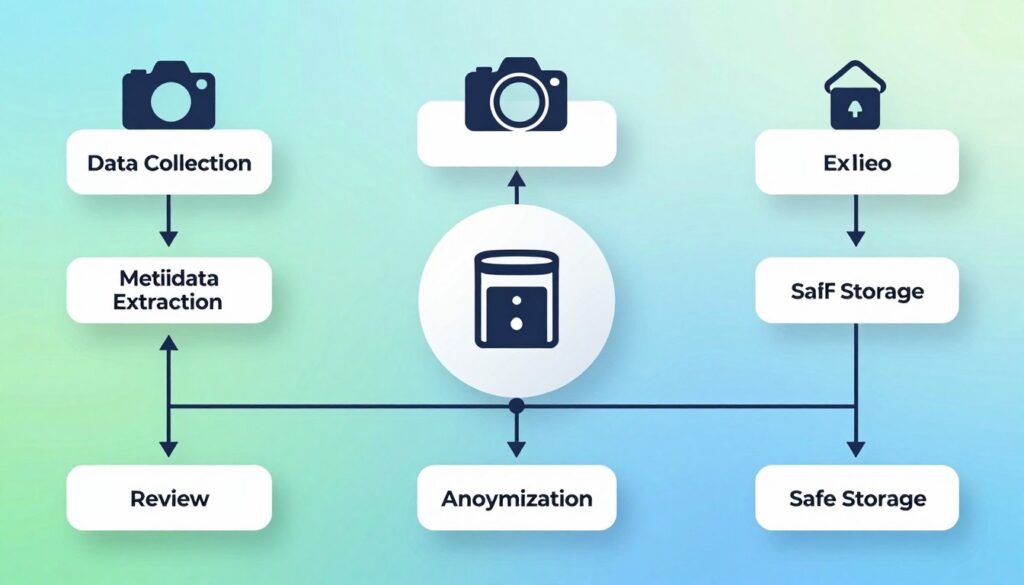
Smartphones and cameras automatically add metadata. This includes GPS coordinates, exact times, and device models. It’s like a digital fingerprint on your photos and videos.
When you share a raw file, this digital footprint goes with it. It can reveal where you were, when, and even who you are. For those in sensitive jobs, this is a big risk.
So, it’s essential to follow strict metadata hygiene rules. We aim to remove this identifying info before sharing or storing. There are several ways to do this, each suited for different needs.
| Method | Process | Pros | Cons |
|---|---|---|---|
| Screenshot | Take a screenshot of the photo or video frame. The new image file contains no original metadata. | Fast, universal, requires no extra software. | Reduces image quality; not practical for long videos. |
| OS Privacy Settings | Disable location services for the camera app (iOS: Settings > Privacy > Location Services). Use “Remove Location” option in photo details. | Prevents geotagging at the source; built-in and secure. | Must be set before recording; varies by device. |
| Dedicated Software | Use desktop or mobile applications designed to view and batch-remove EXIF data. | Most thorough; allows batch processing of many files. | Requires learning new tools; potentially costly. |
First, we need to understand this invisible data. Then, we can control it. After cleaning the data, we focus on safe storage.
Upload your footage right away to a secure, encrypted cloud storage service. This keeps your evidence safe and ensures your work keeps going. It also protects against losing your device.
Storing on local devices is risky. But, encrypted cloud backups are safe and reliable. They turn raw footage into a secure asset.
Removing EXIF data and using encrypted cloud storage are key to managing digital assets. They protect the people in your videos and keep your team safe.
Livestream delays, moderation, and platform rules
Running a livestream means dealing with three big issues: broadcast delay, content moderation, and following platform rules. Unlike videos, livestreams can’t be edited after they’re live. This makes every moment on air a risk. So, a strict livestream policy is key to avoid problems.
Using a broadcast delay is a basic safety step. Even a short delay of seven to ten seconds helps. It gives a moderator time to check the feed and stop it if needed.
This delay is important for keeping things safe. It stops accidental shows of personal info like faces or addresses. Seeing it as a standard shows you care about responsible broadcasting.
But, there’s also the role of real-time moderation. A clear moderation policy is needed. It should say what actions are okay and what aren’t. Moderators must be able to stop the stream right away if something bad happens.
Lastly, following platform rules is also vital. Rules on Facebook Live, YouTube, and Twitch vary. Before you start, you need to know these rules well. Breaking them can lead to your stream being taken down or your account being suspended.
So, a good livestream policy is more than just how to broadcast. It’s about doing it safely and sustainably. It includes a delay, clear moderation rules, and following platform rules. This way, you keep your stream safe and your channel’s reputation intact.
Legal hotlines, observer roles, and arrest preparation
Working in risky or sensitive areas needs a solid plan. This includes legal hotlines, observer roles, and arrest plans. Not having these is a big risk for teams.
Before heading out, getting legal help is a must. Groups like the National Lawyers Guild and ACLU have hotlines for journalists and observers. These legal hotlines offer quick advice and are key to safety. Make sure to save these numbers on all devices.
It’s important to know who does what in the team. Frontline documenters record events, while support personnel handle logistics and equipment. Legal observers watch and record police actions, helping with evidence.
Being ready for arrest is part of being professional. This arrest preparation is not saying you did something wrong. It’s just being safe. Everyone should know what to do if arrested.
Keeping devices safe is the first step. Use strong PINs and turn off biometric unlock. Police can’t force a PIN but can with biometrics. Knowing your rights, like the right to remain silent, is key. Saying you want to remain silent can protect you.
Remembering important phone numbers is vital, as phones might not work. Apps like the ACLU’s Mobile Justice help document safely and give legal help. This shows how tech and law work together.
These steps, from legal support to observer roles and contingency planning, are key. They make recording events safe and protect the story and the recorder.
Ethical storytelling: dignity and context
Good storytelling goes beyond just using a camera. It’s about making sure what we see is true and meaningful. This way, we turn simple videos into something important and respectful.
For a video to be strong evidence, it needs to be clear and complete. Without the right context, a single clip can’t tell us much. It’s like trying to read a book without the cover or title page.
Experts use special methods to capture the right context:
- Record at least ten seconds before and after a key incident.
- Pan the camera slowly to capture landmarks, street signs, and the positions of individuals.
- Maintain a steady shot to avoid confusing or misleading motion.
When adding sound, it should be factual. Say what you see, like “the officer approached the individual.” Avoid making things up or adding your own spin. This can hurt your credibility and the video’s value.
The main rule is to show things as they really are. Don’t mess with the footage after you’ve shot it. Cutting, adding sounds, or changing colors can ruin the truth of what happened.
In the end, ethical storytelling is about being honest and respectful. It’s about showing the truth without being too sensational. A good storyteller makes sure their work is accurate, complete, and shows the humanity of everyone involved. This way, their work is not just seen, but trusted and remembered.
Case study: livestream protocols at mass protests
Imagine a team at a big protest, following strict rules for documenting. They keep devices safe, manage privacy, and follow ethics. Their work shows how to document safely and responsibly, even in tough situations.
Before the protest, the team prepares carefully. They lock down devices and use encrypted storage. They also back up data online. A clear livestream policy is set, with one person in charge of the broadcast. This person uses a delay and has a moderator to check content.
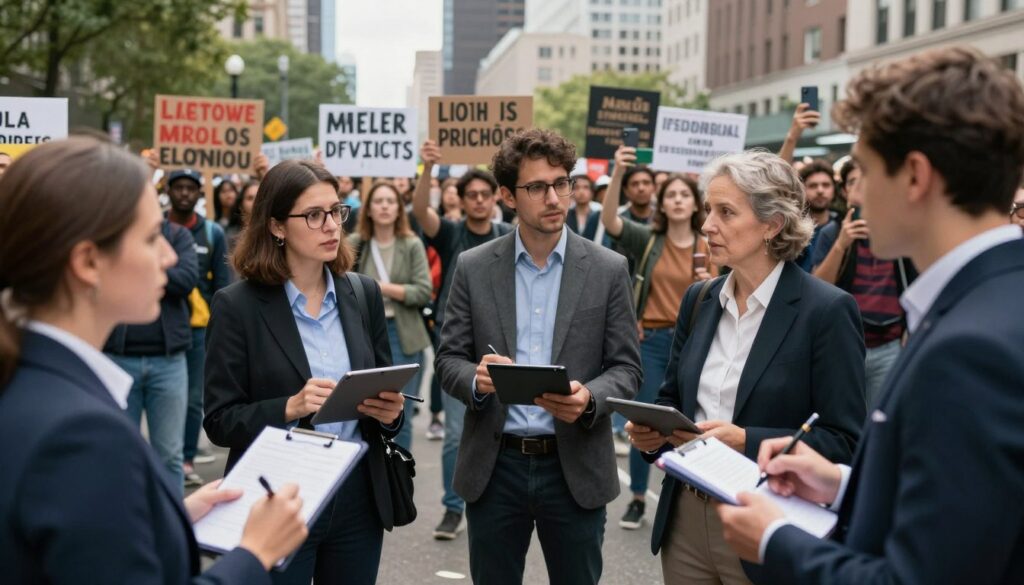
At the protest, each team member has a specific job. Some document law enforcement and crowd actions, but not faces without consent. Others carry tablets with consent forms to talk to people who want to share their stories.
The livestream operator follows the livestream policy from a safe spot. A 60-second delay lets the moderator check the video. They can stop the stream if it shows something private or dangerous.
After the protest, the team follows a strict process. They review each video frame by frame. They blur faces and remove personal info. Then, they remove all metadata from the files.
The team tags the files with important details and adds consent forms for interviews. This makes sure the archive is legal and ethical. Their method shows how to document events safely and responsibly.
Templates: consent forms and redaction SOP
To make ethical principles real, we need standard documents. This means having strong consent forms and a clear privacy protection process. These steps help follow best practices, lower legal risks, and ensure quality every time.
A professional Informed Consent Release Form is key. It protects participants and shows respect for their choices. This form makes sure everyone knows what they’re agreeing to.
The form needs to include important details. It should have the participant’s name and the date. It also needs to explain the project and how the footage will be used.
It’s important to list where the footage might be shared. This could be social media, TV, or training sessions. The form should also say the participant can change their mind before it’s shared. A signature line makes the agreement official.
A Redaction Standard Operating Procedure (SOP) is just as important. It makes sure personal info is safely removed from videos. Having a clear SOP means everyone knows what to do and who to hold accountable.
Here’s a five-step guide for redacting videos:
- Secure Original Files: Move the original videos to safe, encrypted storage right away. These files should stay untouched and safe.
- Create Working Copies: Do all editing and redacting on copies of the files. This keeps the original videos safe.
- Apply Irreversible Blurring: Use software like Adobe Premiere Pro to blur faces and other personal info. Make sure it can’t be undone.
- Secondary Verification: Have someone else check the redacted video. This step makes sure everything is covered and nothing is missed.
- Publish Redacted Versions: Only share the video that has been fully checked and approved. The copies used for editing can be kept or deleted as needed.
Using consent forms and a detailed Redaction SOP makes ethics real. These documents help teams follow rules, reduce risks, and build trust. They are essential for any group that wants to tell stories responsibly.
Disclaimer
This article talks about documenting protests, managing privacy, and legal issues. It’s for general learning and information. It covers common practices and tips.
It’s not legal advice. Laws about filming in public, privacy, and watching protests change. Always talk to a lawyer in your state for specific advice.
Reading this article doesn’t make you and the authors or publishers partners. No partnership is formed by reading this.
The authors and publishers can’t be blamed for actions taken or not taken based on this content. Legal rules, like those about technology and civil rights, change fast. Getting advice from a lawyer is safer than just reading general info.
This disclaimer means the article is for learning. For real advice on how to document protests, talk to a lawyer who knows your situation.